














Temporary Numbers to Register on Google, Gmail & YouTube - Smspva
In today’s world, creating Google accounts — whether it’s for Gmail, YouTube, or any other Google service — often requires phone number verification. Many users, however, prefer not to use their personal numbers for security and privacy reasons. Smspva offers an easy and secure way to verify your Google account using a temporary phone number. This guide explains how to get and use a virtual number from Smspva to register or verify Google, Gmail, and YouTube accounts safely. Try it outWhy Use Temporary Numbers for Google Account Verification?

When creating or recovering a Google account (Gmail, YouTube, Drive, etc.), users are asked for a phone number for verification. But not everyone wants to link their personal number to multiple online accounts. Using a temporary phone number for Google verification from Smspva helps you stay anonymous, protect your identity, and prevent spam or tracking.
How to Get a Temporary Number for Google on Smspva
Getting a virtual number for Google, Gmail, or YouTube is quick and simple on Smspva. Here’s how:
1
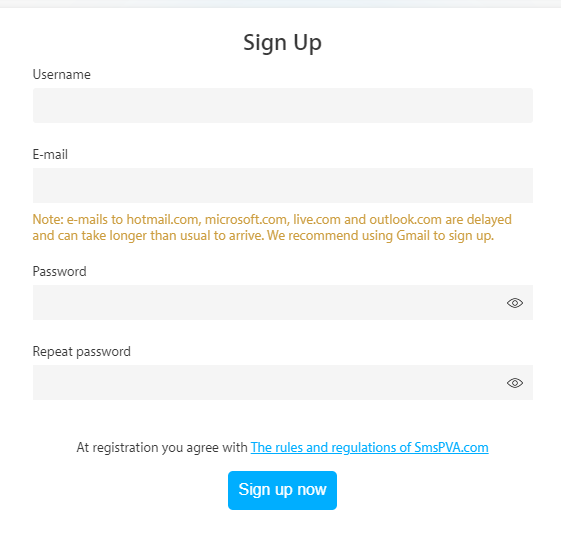
Create an account on Smspva
Go to the Smspva website and sign up. The registration takes just a few minutes and gives you full access to available services.
2
Top up your balance
Add funds to your Smspva account using any of the convenient payment options. Balances are available instantly so you can start right away.

3
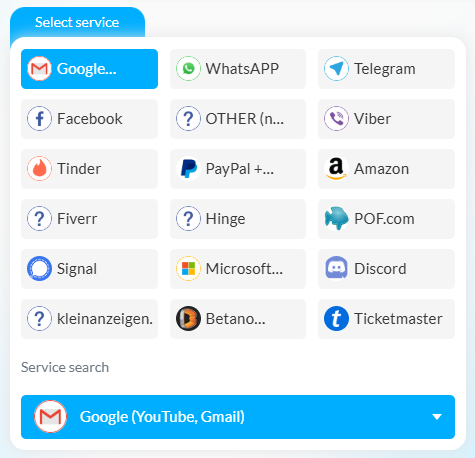
Select the Google service
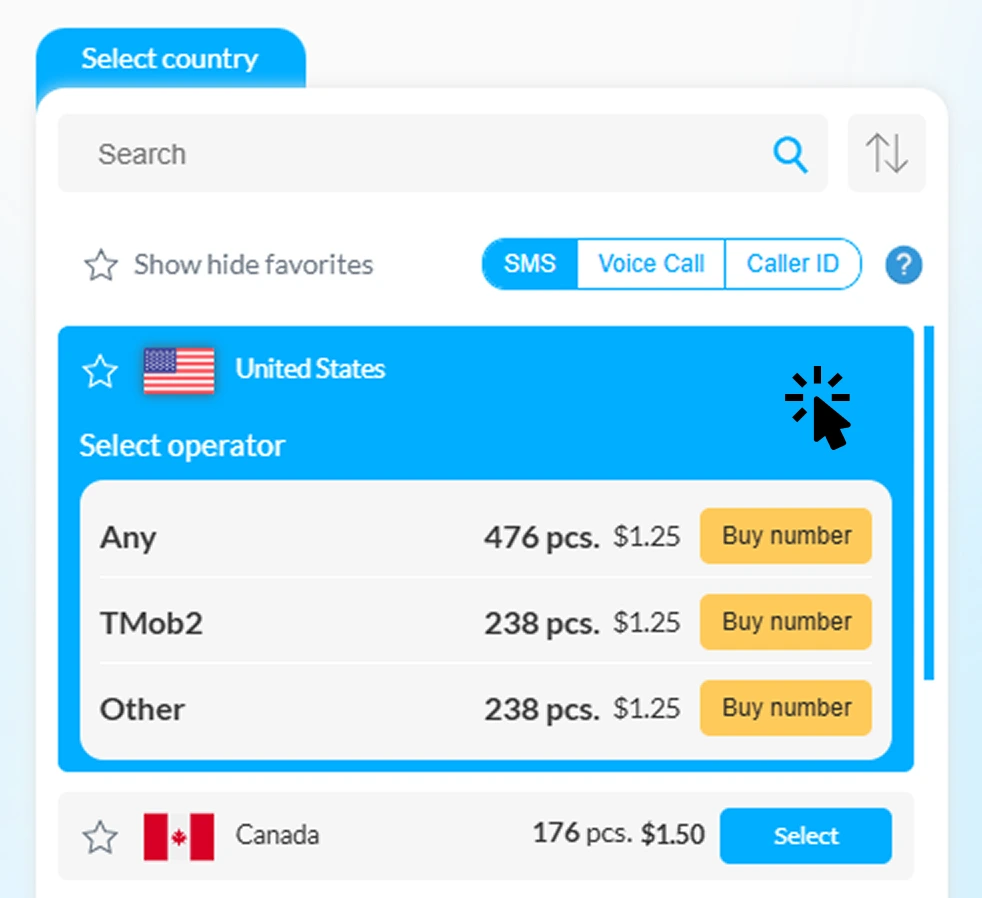
Go to the services list, choose “Google” and pick a number from the available temporary or long-term options. Smspva offers numbers from different countries for global flexibility.
4
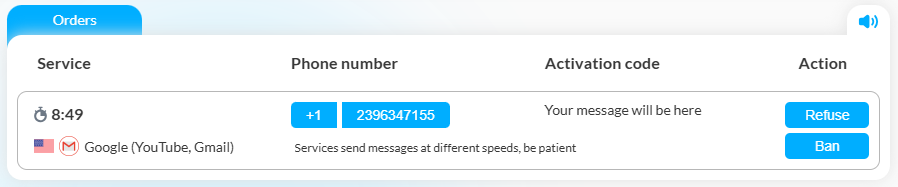
Receive your SMS code
Use the chosen number when registering or verifying your Google account. Once the verification SMS is sent, it appears instantly in your Smspva dashboard.
Registering or Verifying Google, Gmail, or YouTube
Once you have your temporary number, follow these steps to complete verification:
-
1
Go to Google account creation
Visit the Gmail or YouTube sign-up page and start creating your account.
-
2
Enter your temporary number
When prompted for a phone number, paste the temporary number provided by Smspva.
-
3
Get the SMS verification code
Google will send a 6-digit code via SMS. Open your Smspva account and copy the received code.
-
4
Finish registration
Enter the code to verify your Google account. Now you can enjoy Gmail, YouTube, and other Google services without linking your real phone number.
Advantages of Using Smspva for Google Verification
Here’s why thousands of users worldwide choose Smspva for their Google, Gmail, and YouTube verifications:
- Fast and reliable: Instant delivery of Google verification SMS messages — no delays, no failures.
- Affordable pricing: Get temporary numbers for a fraction of the cost of traditional SIM cards.
- Wide country selection: Choose numbers from multiple regions to match your target country for registration.
- Privacy-first approach: Protect your real identity and prevent unwanted calls or data leaks.
- Multi-service compatibility: Use Smspva numbers for other verifications like Facebook, TikTok, WhatsApp, and more.
Maximum Privacy & Data Protection
Smspva ensures the highest level of data protection when you verify Google accounts. Temporary numbers act as a secure shield between your personal data and third-party services. Our platform combines global accessibility with enterprise-level security.
-

No spam or tracking
Protect your inbox and phone from unwanted spam or marketing calls by using one-time numbers. -

Advanced security
All data is encrypted and processed via secure channels, ensuring full confidentiality. -

Reusable for multiple verifications
Our numbers can be used for multiple verification attempts, saving both time and money.
Start verifying Google safely with Smspva!
Get your temporary number for Google, Gmail, or YouTube verification in just a few clicks. Sign up, top up, and choose a number — Smspva takes care of the rest. Protect your privacy and verify your Google account instantly and securely today.
Register on Smspva | Top up your balance
Frequently Asked Questions (FAQ)
Can I verify multiple Google accounts?
Yes. You can use Smspva temporary numbers to verify several Google, Gmail, or YouTube accounts, depending on the availability of numbers.
Are the numbers valid for Gmail and YouTube as well?
Yes, the Google verification service covers all Google platforms — Gmail, YouTube, and other linked services.
How long will my temporary number stay active?
Temporary numbers remain active long enough to receive the verification SMS. For long-term needs, you can rent a permanent number.
Is it safe to use Smspva for Google verification?
Absolutely. Smspva ensures complete anonymity and secure message handling to protect your data during verification.
Verify your Google, Gmail, or YouTube account safely and anonymously with Smspva — the most trusted platform for temporary numbers worldwide.










Receive SMS Anywhere
Get activation codes through:
-
Website
Use it in browser -
Android App
Fast and convenient -
Telegram Bot
Right in chat